Blog›Intake
Data from people who'll never log in
Tenants, visitors, suppliers — the reports you need most often come from people outside your workspace. A link or a QR code turns their submission into a structured record in the right workflow: no seat, no app, no re-keying.
The data that never makes it in
Some of your most important records start with someone who'll never have a login. A tenant with water coming through a ceiling. A visitor who spots a trailing cable at your event. A supplier's driver flagging a damaged pallet at goods-in. A subcontractor reporting a near-miss your own team didn't see.
The usual options are all bad. They email someone, who re-keys it — slowly, with typos, into the wrong category. They fill in a paper form that gets photographed and lost. Or you buy them a seat and walk them through an app they'll open exactly once. So the report arrives late, arrives wrong, or never arrives at all — and the gaps in your records are usually the things that happened when none of your own people were looking.
A form at a link — that lands in your workflow
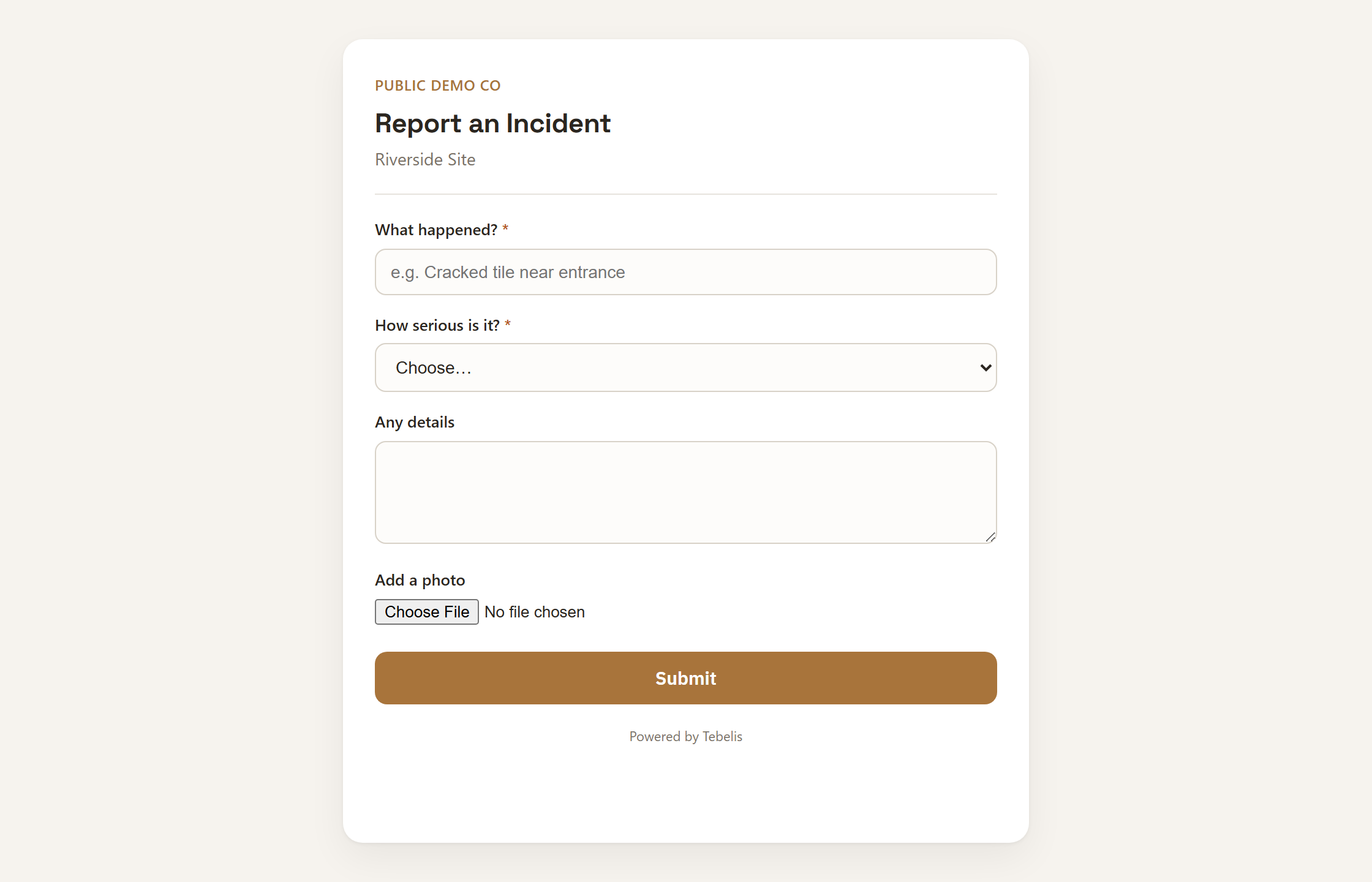
A public form link is a single, branded form at a URL. Share the link, or print the QR code and put it where the moment happens: the lift lobby, a campus noticeboard, the goods-in door, the back of a contractor's induction card. Whoever opens it sees one clean form — no account, no app, no instructions — fills it in, and submits.
The part that matters is what happens next. The submission doesn't drop into an inbox; it becomes a real record in the right project, runs the same conditional rules your internal forms do, and routes into your workflow — straight to whoever owns the first step, assigned and notified — exactly as if one of your own team had filed it.
Picture a residential block. The maintenance-request QR is in the lift lobby; a tenant scans it, picks the flat, describes the leak, taps submit. The property manager doesn't get a voicemail to decode — they get a typed, categorised job in their queue, already at the first step of the repair workflow. The same shape works for a hazard report at a conference, a quality claim from a supplier, or a defect flagged by a subcontractor on a construction site.
- No seats to provision. The people filling it in are never users of your workspace.
- No second form to maintain. A public form is one of your existing templates, exposed at a link — update the template and the public form follows.
- No clean-up. It arrives typed, structured and checked against your rules, not as free text in an email thread.
You hold the door
The link is opt-in, per project, and you open or close the channel whenever you want. It's intake-only: the link lets someone add one record and nothing else — they can't read, browse, or reach anything else in your workspace. The form they see contains only the fields you chose to ask for. The world can hand you data; it can't look inside.
Where it fits
Public intake closes the last gap in capture. Your own people capture by photo or a sentence; the people outside your workspace capture through a link. Either way the structuring is done for them, and a clean, owned record shows up where the work is actually tracked — instead of in someone's inbox, or nowhere at all.
Want it on your own forms? Create a workspace and turn a template into a public link.